Digital signage
CastmeNOW
Build playlists with photos, videos, and announcements. Publish from a Windows controller to the displays you choose on your local network.
No monthly subscription. No cloud hosting required.
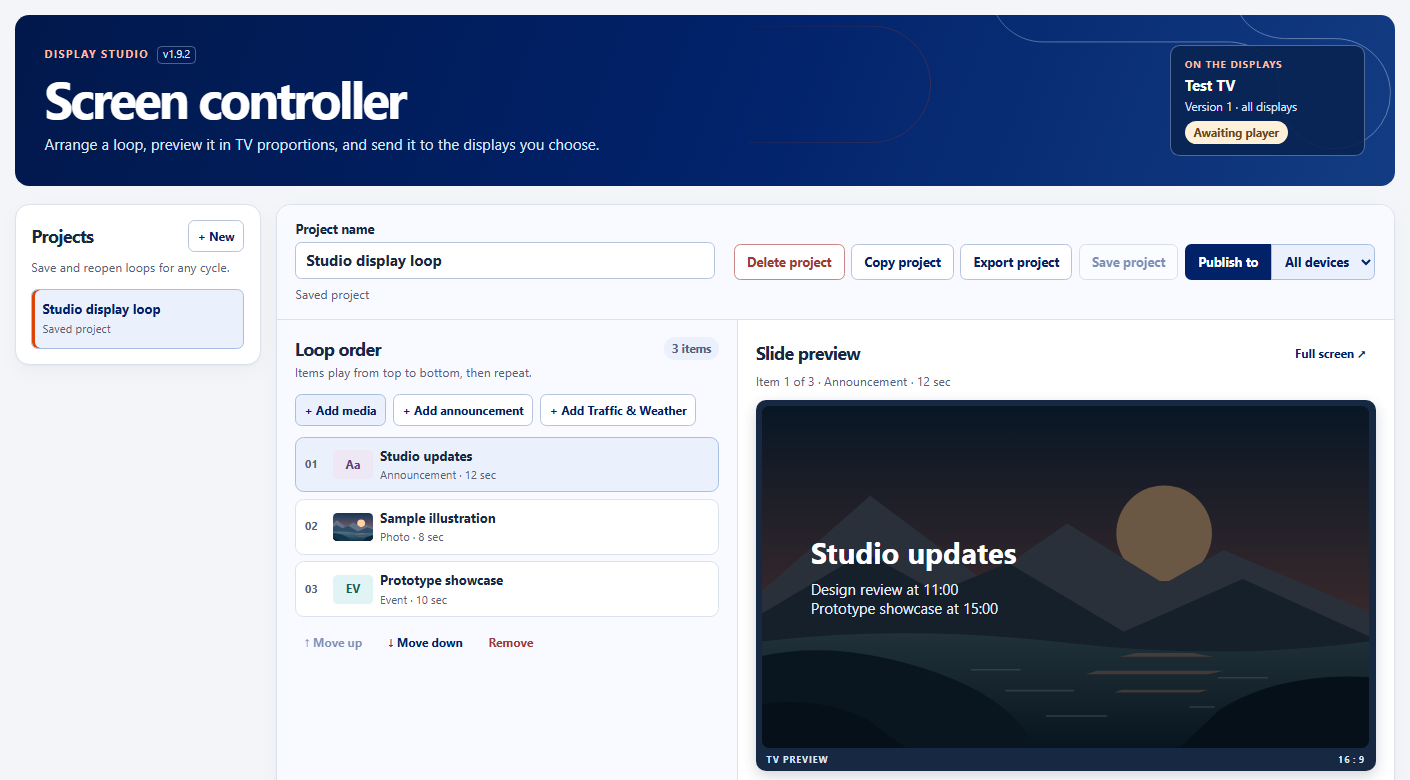
How it works
Build a playlist
Add photos, MP4 videos, and announcement slides. Arrange them in the order you want and save the project.
Choose the displays
Pair a browser player or install a Windows or Linux player. Choose one display, a group, or all connected displays.
Publish the loop
Send the project from the Windows controller. Installed players can replay the loop offline after it finishes downloading.
Design and manage your loops
Make announcements
Build slides for upcoming events, new team members, and recurring birthdays. Adjust layouts and timing, then preview at TV size.
Reuse a project
Copy a saved project with its media and slide settings. Make changes in a draft while screens keep playing the published version.
Set up each display
See which players are online and which version they’re playing. Rotate a portrait screen or show local traffic and weather when feeds are configured.
Export your project
MP4 video
Export one pass through the loop with animations and muted video clips. Video export uses a browser with H.264 encoding support.
Windows screen saver
Save a screen saver that keeps the slide order, videos, and animations and plays offline on Windows.
PDF and PowerPoint
Save widescreen slides for review or sharing. Both formats use still frames.
Add casting devices
Linux agent
Run the player on a Linux mini PC or a Raspberry Pi with 64-bit Debian. Connect it to your CastmeNOW controller to play the loop full screen.
Windows agent
Run the player on a Windows x64 PC connected to your display. The agent downloads the published loop so it can keep playing if the network connection drops.
Smart TV browser
Open the controller’s My TV link in your TV’s browser. Enter the four-digit code under Registered players → Pair TV on the Windows controller to approve the display.